In this lesson, we will explore how to manage user carts using the StoreCartsMVC controller. This functionality allows store owners to add and remove items from a user’s cart before they make a purchase. This can be useful for promotional items, manual corrections, or curated product suggestions.
1. Starting with an Empty Cart
When you begin, users will typically have an empty cart. Using StoreCartsMVC, you can create new cart items for users manually, assigning specific items to them based on promotions, support requests, or custom orders.
To start:
Navigate to the StoreCartsMVC interface where you can manage the user’s cart.
You should see a list of empty carts like the one below:
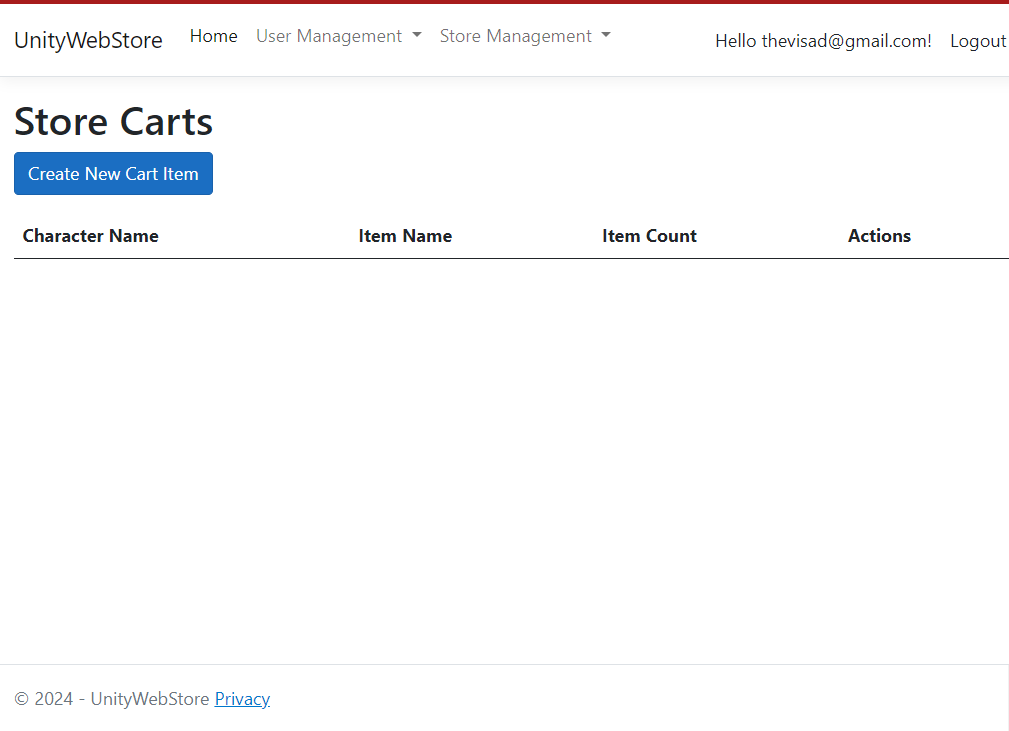
This list will allow you to select a specific user and add items to their cart.
2. Creating a New Cart Item
Once you’ve selected the user, you can add items to their cart.
Steps to Add a Cart Item:
Select the Character for whom you want to add an item.
Choose the Item that you want to deliver to this user from the list of available items.
Specify the quantity if applicable.
Here’s an example of the interface for adding an item to the cart:
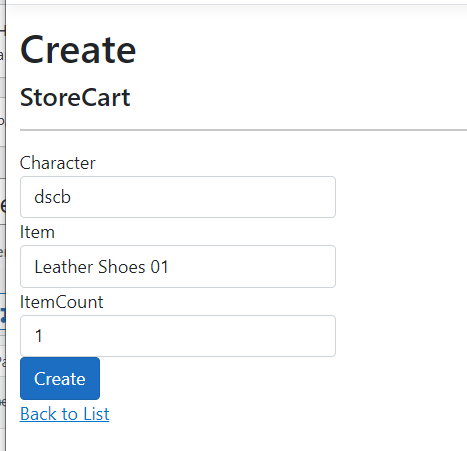
Once the item is selected and added, it will immediately appear in the user’s cart.
3. Verifying Items in the User’s Cart
After adding the items, you can verify that the cart has been updated. The item will be visible in both the game and the storefront, allowing the user to proceed with the purchase.
Here’s an example of a cart with assigned items:
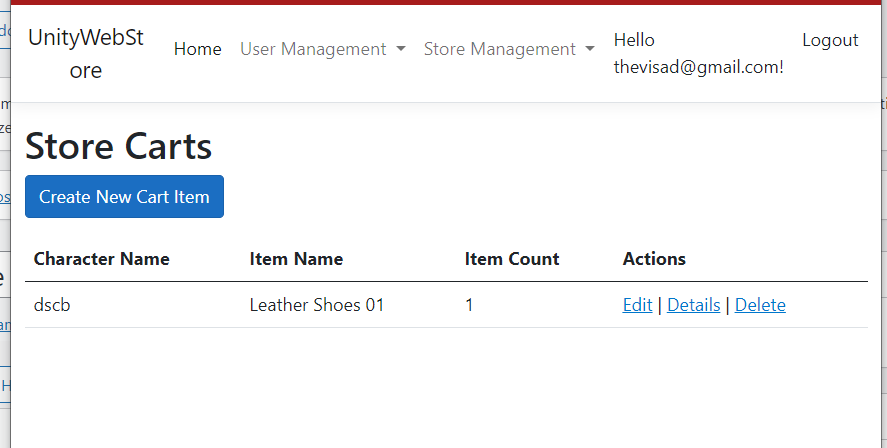
From this point forward, the user can interact with the cart, modify the quantity, or proceed to checkout, just as if they had added the items themselves.
4. Removing Items from the Cart
If you need to remove items from the cart:
Navigate back to the StoreCartsMVC interface.
Select the cart and remove the item, which will update the user’s cart immediately in both the game and storefront.
Summary:
With the StoreCartsMVC controller, you can efficiently manage user carts, adding and removing items before purchase. This functionality is essential for maintaining user satisfaction, providing customer support, and offering custom product suggestions.